
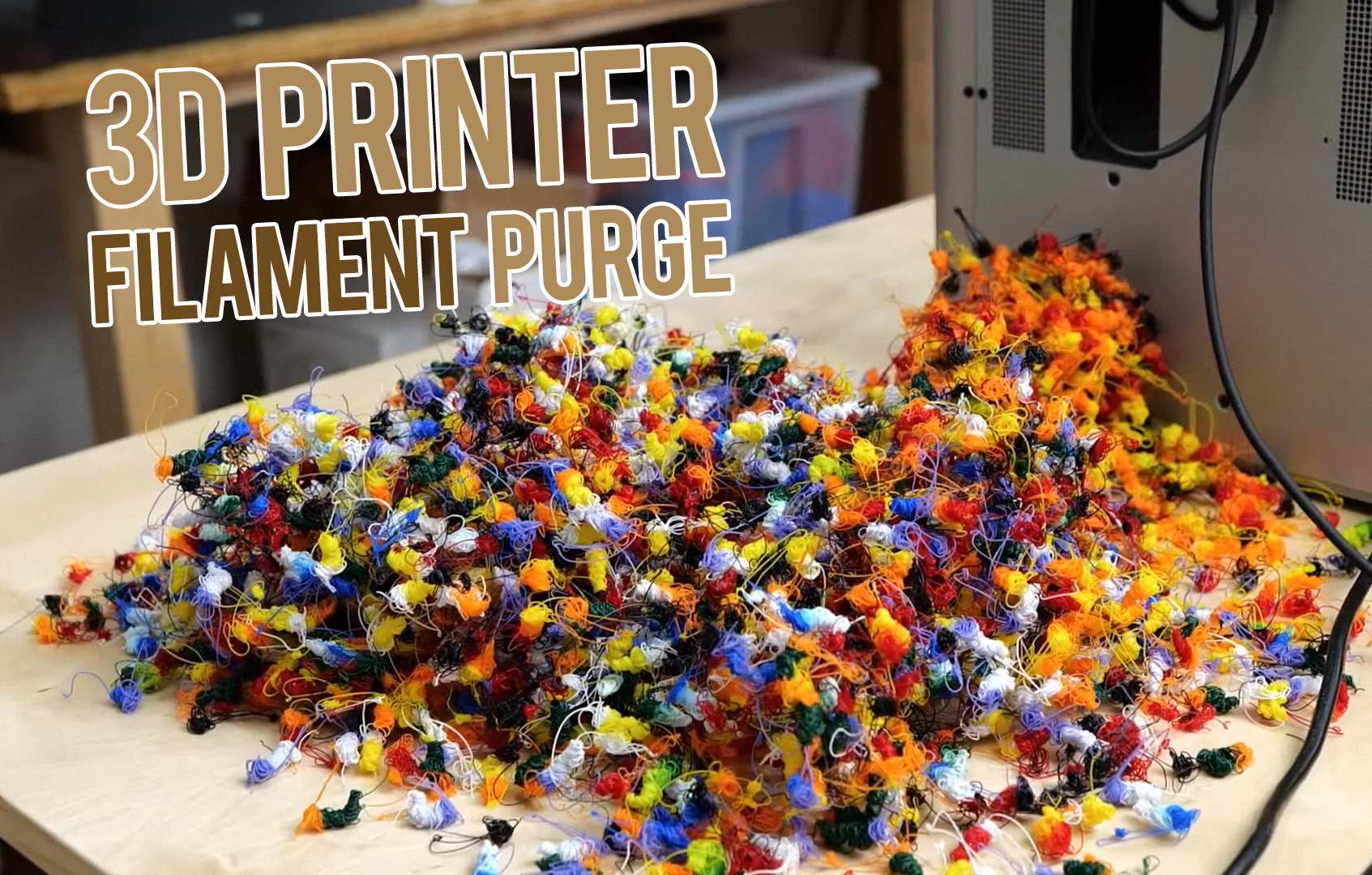
If you are new to filament 3D printing, “purge” can look like wasted plastic. The printer heats up, draws a line at the edge of the bed, spits material into a chute, wipes the nozzle, or builds a strange tower next to the model. None of that ends up in the finished part, so it is easy to assume it is unnecessary. In practice, purge is one of the small maintenance steps that makes consistent extrusion possible.
This article focuses on FDM/FFF printers, where a plastic filament is melted and pushed through a nozzle. In that context, purging is the controlled extrusion of material away from the final part so the hotend starts the next move in a stable, predictable state. That may mean priming the nozzle at the start of a print, clearing a droplet before a travel move, or flushing old color out of the melt zone during a filament change.
Once you understand what is happening inside the hotend, purge stops looking like waste and starts looking like process control.
What “purge” means in 3D printing
In simple terms, a purge is an intentional extrusion used to prepare the nozzle before it prints visible features. The exact form depends on the printer and the job:
- Prime line or prime blob: used at the start of a print to get flow started.
- Nozzle wipe: used to remove a hanging droplet or string from the nozzle tip.
- Purge tower, wipe tower, or prime tower: a sacrificial structure printed during color or tool changes.
- Purge chute or purge wiper: a hardware area on some machines where waste material is expelled and mechanically removed from the nozzle.
The names vary by manufacturer and slicer, but the purpose is usually a combination of three things:
- Prime the nozzle so extrusion begins immediately and at the correct rate.
- Push out unstable or contaminated melt left in the hotend from the previous state.
- Remove ooze from the nozzle tip before the printer returns to the model.
What is happening inside the hotend
 The hotend is not just a heated hole. It is a small melt system. Solid filament enters from above, softens as it approaches the heater, becomes molten in the melt zone, and is forced through a very small nozzle opening under pressure. That detail matters because the plastic in the nozzle behaves like a viscous fluid under compression, not like a rigid plug.
When the extruder motor stops, flow does not become perfectly “off” in the same instant. There is still heat in the nozzle, still pressure stored in the molten filament, and often still a small amount of softened material at the tip. That is why a hot nozzle can keep dripping for a moment after extrusion stops. On a parked tool or a long travel move, that tiny amount becomes the familiar blob, whisker, or string.
You can think of the hotend as a very small heated syringe. Pressure builds while the printer extrudes. Retraction relieves part of that pressure, but not always all of it, and not always in exactly the same way. After a pause, a travel move, or a filament swap, the melt in the nozzle may be slightly different from what the slicer expects. Purging is the step that brings the system back to a known condition.
Nozzle priming: why the printer draws a line before the real print
The most familiar purge event is the prime line at the start of a print. Beginners often see it as a ritual. It is actually doing useful work.
When the printer finishes heating and starts the job, the filament path may not yet be in an ideal printing state. The nozzle may contain a small pocket of air, the melt pressure may be low, the tip may have a droplet hanging from it, or the previous retraction may have slightly emptied the very end of the nozzle. If the printer began directly on the model, the first few millimeters could be thin, patchy, or delayed.
The prime line solves that. By extruding a controlled length of filament before the part begins, the printer:
- confirms that the filament is fully loaded,
- rebuilds melt pressure,
- starts continuous flow through the nozzle, and
- usually wipes the tip as the line is deposited.
That is why a prime line often improves first-layer consistency. It is less about “wasting a little filament” and more about making sure the first perimeter of the actual part starts cleanly.
Some machines use a short line at the front or side of the bed. Others use a prime blob or combine priming with a skirt. The exact shape is less important than the goal: the printer wants to move from heated but uncertain to extruding steadily and predictably.
Priming after retraction is not the same as purging after a filament change
These two steps are related, but they are not identical. After a normal travel move, the printer may use a small “extra prime” to restore the pressure lost during retraction. That is a fine adjustment. A full purge after a tool or filament change is much larger because the printer is not only rebuilding pressure; it is also replacing the material already sitting inside the melt path.
Why ooze happens, even when the printer is not supposed to be printing
Ooze is one of the most misunderstood behaviors in FDM printing. It is tempting to think that if the extruder motor is not turning, the nozzle should stay clean. Real hotends do not work that way.
Melted polymer remains fluid for a while, and the nozzle stays hot. If there is residual pressure in the melt zone, or if the nozzle sits at printing temperature long enough, material can slowly creep out of the tip. Moist filament, overly high temperature, and weak retraction settings can make this worse, but some level of ooze is simply normal process behavior.
That matters because the ooze hanging from the nozzle tip is unpredictable. It may stick to the model and create a scar. It may drop into the first layer and ruin bed adhesion in one spot. It may stretch into a string during travel. It may get dragged into a light-colored section during a color change.
This is why many printers include a wipe step as part of the sequence. The nozzle may brush across a silicone wiper, a metal brush, a purge strip, a tower, or a dedicated waste chute. The goal is not cosmetic housekeeping. The printer is removing material that is no longer trustworthy.
Multicolor printing is where purge becomes unavoidable
Single-material prints can often get by with a small prime line and good retraction. Multicolor and multi-material printing are different. Here the printer must change from one filament to another without leaving traces of the previous one behind.
That sounds simple until you remember that the nozzle, melt chamber, and lower part of the hotend are still full of the old filament. If the printer switches from black PLA to white PLA, the nozzle does not instantly become “white.” The incoming white material must physically push the old black melt out of the melt zone and through the nozzle. Until enough volume has been displaced, the color transition will be gray, muddy, or streaked.
That is the basic reason purge towers exist. The printer needs somewhere to extrude the transitional material before it returns to the part.
From a process standpoint, the printer is doing three things during a color change:
- Unloading or retracting the old filament. Some systems also shape the filament tip so it can be removed cleanly.
- Loading the new filament. The new material enters the hotend, melts, and starts pushing the previous material downward.
- Flushing the transition. The printer extrudes enough material to replace the nozzle contents, then often wipes the tip before returning to the model.
On many systems, this flushing step is the largest source of visible “waste” in a multicolor print. It is also the step that prevents color contamination.
Why dark-to-light changes usually need more purge
Not all filament changes are equal. A change from white to black may hide a trace of old material very quickly. A change from black to white is much less forgiving because even a small amount of dark pigment can stain the transition for several seconds of extrusion.
That is why modern slicers often use purge volumes rather than a one-size-fits-all length. In more advanced workflows, the purge is stored as a matrix: filament A to filament B may need a different amount than B to A. Material behavior, pigment strength, nozzle geometry, and even flow rate can all affect the required volume.
Notice that purge is commonly expressed in volume, not just filament length. That makes sense technically. What matters is how much material must pass through the melt zone to replace the old melt, and that is a volumetric problem.
Prime tower, wipe tower, purge block, purge chute: the terms beginners should know
| Term | What it is | Main job |
|---|---|---|
| Prime line | A line extruded at the edge of the bed before the print starts | Start flow, build pressure, clean the tip |
| Prime blob | A short sacrificial extrusion before printing the model | Same goal as a prime line, in a smaller area |
| Purge tower / wipe tower / prime tower | A sacrificial tower printed beside the model during tool or color changes | Flush old material, stabilize flow, and often wipe the nozzle |
| Purge block | A generic name for sacrificial purge geometry | Absorb transitional material outside the part |
| Purge chute / purge wiper | A machine feature that catches and removes waste material off to the side | Keep purged filament away from the part and help clean the nozzle tip |
| Ooze shield | A thin wall printed around the model in some dual-nozzle workflows | Catch drips from an idle or incoming nozzle before they touch the part |
| Wipe into infill / wipe into object | A slicer strategy that hides some purge inside non-cosmetic areas | Reduce waste while still discarding the transition |
Different ecosystems use different language, and some printers combine several methods. A machine might purge into a chute, wipe the nozzle mechanically, and still print a small prime tower for reliable flow after a switch. An ooze shield is a different tool again: it is there to catch drips, not to fully flush a color transition.
What the printer is actually doing during a multicolor purge
Seen from the outside, the sequence can look chaotic. Inside the process, it is quite methodical:
- The previous section of the model ends. The slicer knows a tool or filament change is coming.
- The printer prepares the old filament for removal. This may include retraction or a ramming move to shape the filament tip.
- The new filament is loaded. At first, the nozzle output is a mix of old and new material.
- The printer extrudes into a non-critical area. This is the purge itself. The mixed material is expelled until the flow and color settle.
- The nozzle is wiped. Any hanging droplet is removed before the printer travels back to the part.
- Printing resumes. By the time the nozzle touches the real model again, the system is much closer to a steady state.
That last point is easy to miss. Purging is not only about color. It is also about stabilizing flow after a disruption. A freshly loaded nozzle can briefly behave differently from a nozzle that has been extruding continuously for several seconds. The purge tower absorbs that unstable phase.
Why some printers can reduce purge, but rarely eliminate it completely
Single-nozzle multicolor systems usually need the most purge because every color shares the same melt path. Multi-tool and multi-nozzle machines can reduce cross-contamination because each tool keeps its own filament loaded. Even then, purge does not necessarily disappear.
Why not? Because parked nozzles can still ooze, loaded tools can still carry a droplet on the tip, and the first moment after a tool switch can still be slightly unstable. Some printers therefore use a wipe station, an ooze shield, a prime tower, or a reduced purge routine rather than no purge at all.
In other words, fewer shared components usually mean less flushing, but not zero process management.
When purge goes wrong
Purge is helpful, but it can be mis-tuned. Beginners usually run into one of two failure modes.
Too little purge
- muddy color transitions,
- dark streaks in light sections,
- under-extrusion just after a tool change,
- small blobs or strings dragged onto the model,
- poor first-layer start after loading filament.
Too much purge
- excess material waste,
- longer print times,
- oversized purge towers,
- tower instability or collisions if the tower becomes tall and weak.
The right setting is not “the biggest safe number.” It is the smallest purge that still gives clean transitions and stable flow.
How slicers reduce purge waste
Modern slicers have become much better at limiting waste without sacrificing reliability. Depending on the printer and software, they may:
- use a purge matrix that changes volume based on the filament pair,
- build towers with sparse internal structure,
- skip unnecessary tower layers when no color change occurs,
- wipe into infill, supports, or a sacrificial object,
- lower the standby temperature of an idle nozzle to reduce ooze,
- mechanically wipe the nozzle so less purge is needed afterward.
These features all aim at the same compromise: keep the visible part clean while wasting as little material and time as possible.
Common beginner misconceptions about purge
“The printer is wasting filament for no reason.”
Usually not. The printer is protecting the part from under-extrusion, blobs, and color contamination.
“If I remove the prime line, the print will start faster.”
It will start sooner, but not necessarily better. On many machines the prime line is cheap insurance for a clean first layer.
“Retraction should eliminate all ooze, so purge should not be needed.”
Retraction helps, but it does not fully reset the thermal and pressure conditions inside a hot nozzle. Ooze control and purge are related, not interchangeable.
“A color change means the new color is already at the nozzle.”
No. The nozzle still contains the previous melt and must be flushed until the transition is complete.
“More purge is always safer.”
Only up to a point. Beyond that, you are mainly adding print time and waste.
Practical advice for beginners
- Do not disable prime lines or purge towers too early. First get repeatable, clean prints. Then optimize.
- Keep filament dry. Wet filament tends to ooze and string more, which makes purge look less effective than it really is.
- Use realistic temperatures. Printing too hot increases drool and can force higher purge volumes.
- Tune retraction and standby temperature before chasing purge settings. Poor ooze control makes every purge problem look bigger.
- Adjust purge by transition, not by guesswork. Dark-to-light changes usually deserve more attention than similar-color swaps.
- Watch the first seconds after a tool change. That moment tells you whether the purge volume is too low, the nozzle is still dirty, or flow has not stabilized yet.
So what is the real purpose of 3D printer purge?
The shortest accurate answer is this: purge creates a clean, stable, predictable nozzle state before the printer lays down visible material.
At the start of a print, that means priming the hotend so the first line is fully formed. During travel or tool parking, it means removing ooze that would otherwise land on the model. During color and material changes, it means flushing transitional plastic out of the melt path so the new section begins with the right color and a steady flow rate.
That is why purge appears in so many forms: lines, blobs, wipes, towers, chutes, brushes, and sacrificial blocks. They are all answers to the same physical problem. Hot plastic does not instantly stop, start, or change color just because the slicer says it should. Purging is the controlled step that makes the real printer catch up with the ideal toolpath.
Final takeaway
If you remember one thing, remember this: purge is not a printing mistake. It is a quality-control step. Good prints depend on the nozzle being in the right thermal, pressure, and material state at the exact moment it touches the part. Purging is how the printer gets there.